You need both, and they do different jobs. The widget helps somebody who is already on your site and wants the nearest branch. Location pages are what can be found directly in search, linked to, and shown for a town name. A widget alone leaves your branches invisible outside your own website, because a map pin is not a page and cannot rank for anything.
Locator widget or location pages: the argument usually gets framed as a choice, and it is not. It is a question of which job you have solved and which one you have left open.
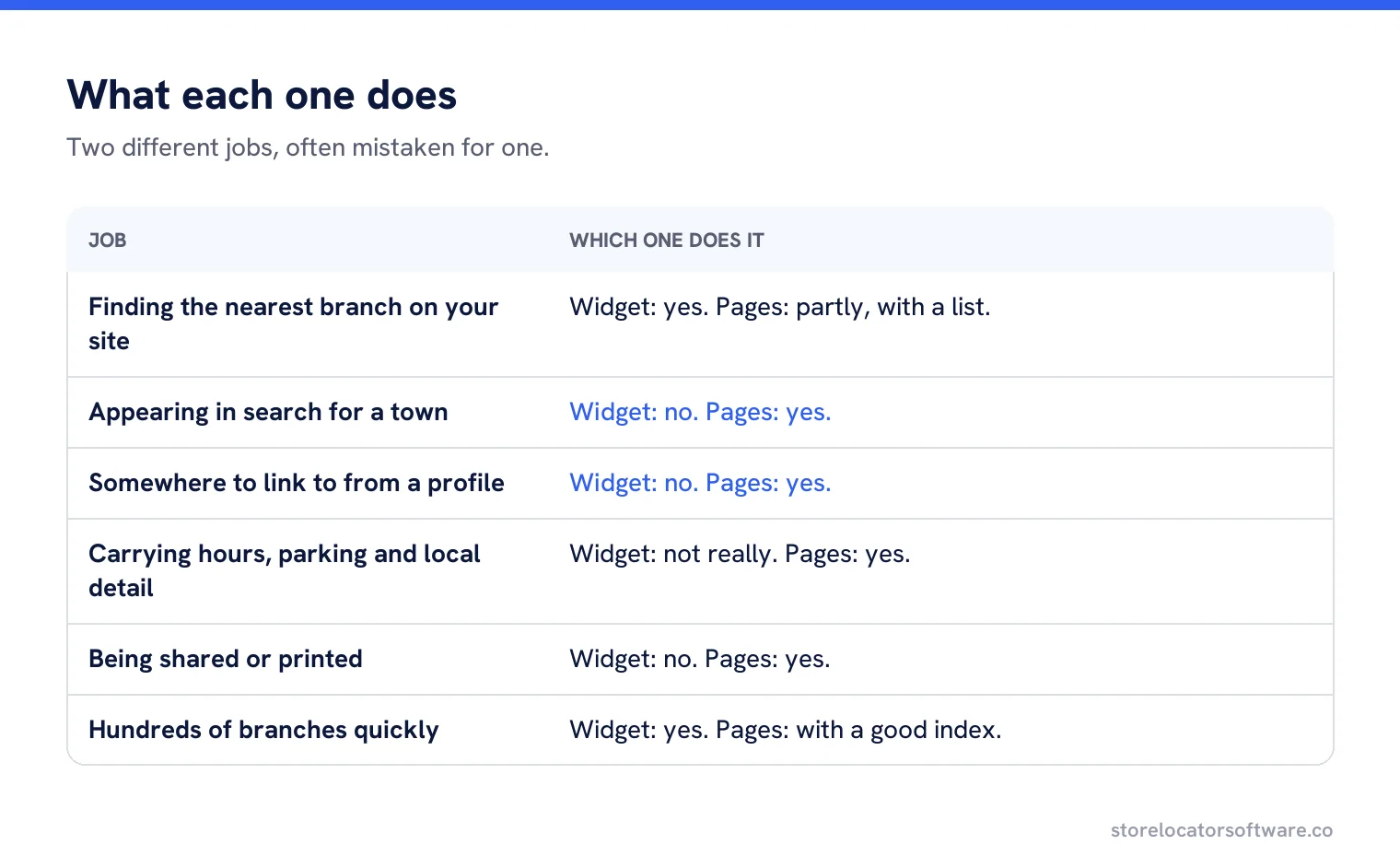
What each one does
| Job | Widget | Location pages |
|---|---|---|
| Finding the nearest branch on your site | Yes | Partly, with a list |
| Appearing in search for a town | No | Yes |
| Somewhere to link to from a profile | No | Yes |
| Carrying hours, parking and local detail | Not really | Yes |
| Being shared or printed | No | Yes |
| Handling hundreds of branches quickly | Yes | With a good index page |
Why a widget alone fails
A typical locator fetches results after the page loads and renders them into a map. There is no URL for a branch, nothing to link to, nothing for a crawler to follow, and nothing to show for “plumber in Hexham”. The branches exist for people who already found your website, which is the audience that needed the least help.
The widget is not the problem. The absence of pages behind it is.
What a location page gives you
A URL
Something to link from your Business Profile, your directories and your own content.
Space for detail
Parking, the entrance, the team, the services that branch offers.
A chance in search
For the town, the service plus the town, and the branch name.
Measurability
Traffic, enquiries and conversions per branch, which a widget cannot give you.
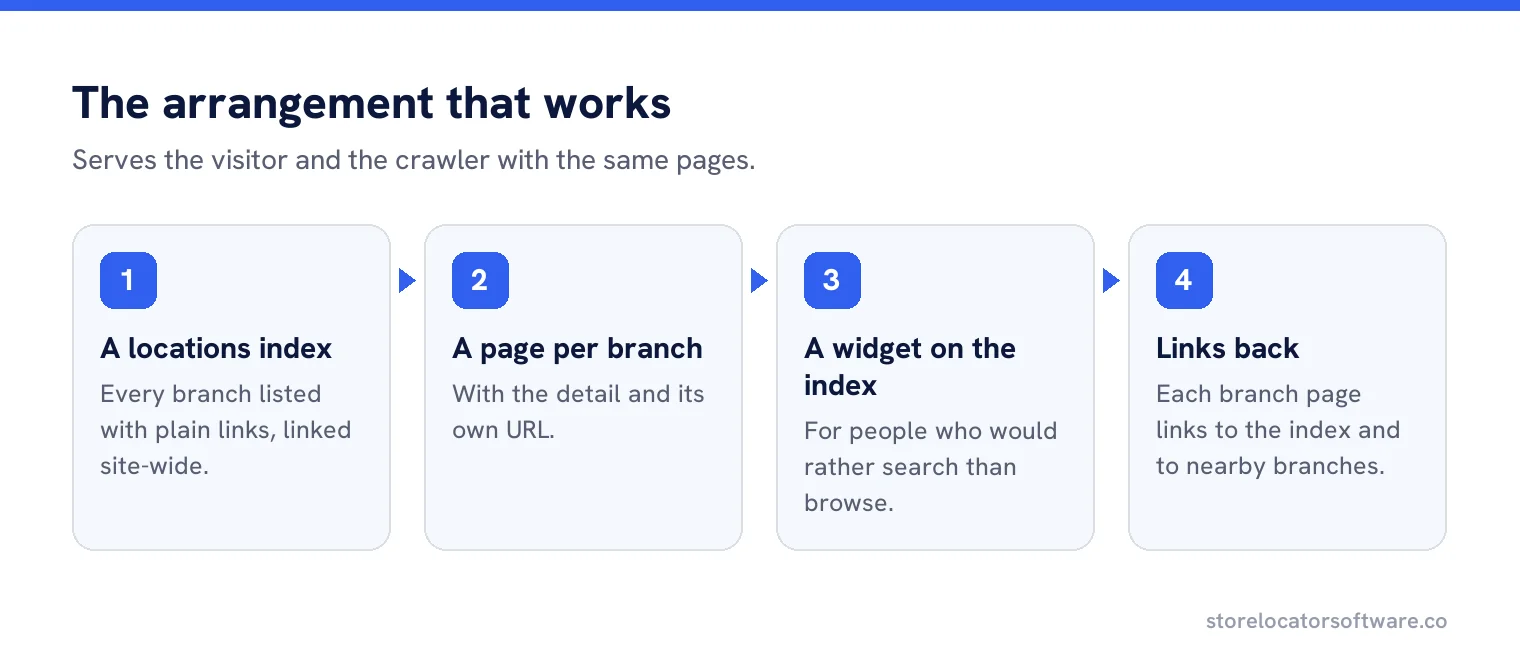
The arrangement that works
A locations index page listing every branch with plain links. A page per branch with the detail. A widget on the index page, and optionally on the home page, for people who want to search rather than browse. Every branch page links back to the index, and the index is linked site-wide.
That structure serves the visitor and the crawler with the same pages, which is why it has outlasted every fashion in locator design.
The index page nobody builds
The locations index is the cheapest page on this list and the one most often missing. It needs almost nothing: a heading, a sentence, and every branch listed with its town, address and a link. It gives a crawler a route to every page, gives a visitor something to scan, and gives you somewhere to link from the footer. An afternoon, once.
When a widget alone is acceptable
Rarely, and in two cases. A business with locations that are not destinations, such as parcel collection points inside other shops, where a page per point would be thin and pointless. And a brand whose branches are better served by their Business Profiles than by a website, usually franchises with independent sites of their own.
Even then, a crawlable list of locations is worth having, because it is the cheapest way for anything to discover that the branches exist.
When pages alone are acceptable
Under about twenty locations, an index page and branch pages are plenty. The search box starts earning its place somewhere past that, and becomes essential in the hundreds.
Third party locator platforms
Many locators are hosted by a supplier, which usually means the branch pages live on their domain rather than yours. That is worth understanding before you sign: pages on somebody else’s domain build their search presence rather than yours, and they disappear when the contract ends.
Two questions settle it. Can the pages live on our own domain, at our own URLs? And if we leave, what happens to them? If the answer to the first is no, treat the platform as a widget supplier and build your location pages yourself.
Pages that are not branches
Service area businesses, delivery zones and franchise territories need the same thinking with a different unit. There is no building to describe, so the page is about the area: what you cover, how long you take to get there, what you have done nearby. The locator becomes a coverage checker rather than a map of pins, and the pages still need to exist for the places you genuinely serve.
A worked rebuild
A tool hire company with 34 depots had a widget and no pages. Depots were invisible in search, and the Business Profiles all pointed at the home page.
The rebuild generated a page per depot from the same data the widget already used: address, hours, phone, the kit held at that depot, and parking for a van. The index page listed all 34 with links. The widget stayed, on the index page.
The profiles were repointed at the new pages. Within a quarter the depot pages were receiving search traffic for their town names, and the company could finally see which depots were generating web enquiries.
Generating pages from the locator data
This is the part that makes it maintainable. Both the widget and the pages should read from one record per location, so adding a branch produces a page, a list entry and a pin without anybody doing it three times. Where the two are maintained separately, they disagree within a month.
What the Business Profile needs from you
Each profile should point at its own location page rather than at the home page or at the locator. A customer who taps the website button has already chosen a branch, and sending them to a search box asks them to choose again. It is a two minute change per profile and one of the most reliably overlooked jobs in multi-location marketing.
What to do first
If you have a widget and no pages, build the index page and the branch pages before touching anything else. If you have pages and no widget, you probably do not need one yet. And if you have neither, start with a single page listing every location, which takes an afternoon and immediately gives search something to find.
Pages and locator from one source
Generate a page per location and the locator itself from the same record, so they never disagree.
Frequently asked questions
Do I need location pages if I have a store locator?
Yes. A widget helps somebody already on your site. Pages are what can be found in search, linked to from your profiles, and measured per branch.
Why are my locator branches not in search results?
Because a map pin is not a page. If results render after load with no URL per branch, there is nothing for a search engine to index or rank.
Is a widget ever enough on its own?
Rarely. Collection points inside other businesses, or franchise networks with their own sites. Even then a crawlable list of locations is worth having.
How many locations before I need a search box?
Under about twenty, an index page and branch pages are plenty. Search earns its place past that and becomes essential in the hundreds.
How do I keep pages and locator in step?
Generate both from one record per location, so adding a branch produces a page, a list entry and a pin without anyone doing it three times.
Sources
The Google documentation behind the guidance on this page. Google changes these pages without notice, so check the date on any figure before you rely on it.