

Give every location a real URL, link to it with an ordinary link from a page that is itself indexed, and make sure the content is in the page rather than fetched after load. A locator that renders results from an API into a map produces nothing a crawler can follow. The fix is almost always the same: publish a plain list of locations with links, and keep the interactive map as an extra rather than as the only route.
Making store locator results indexable is the step that gets skipped. Businesses spend months on a locator and then discover none of their branches appear in search. The cause is nearly always the same, and so is the fix.
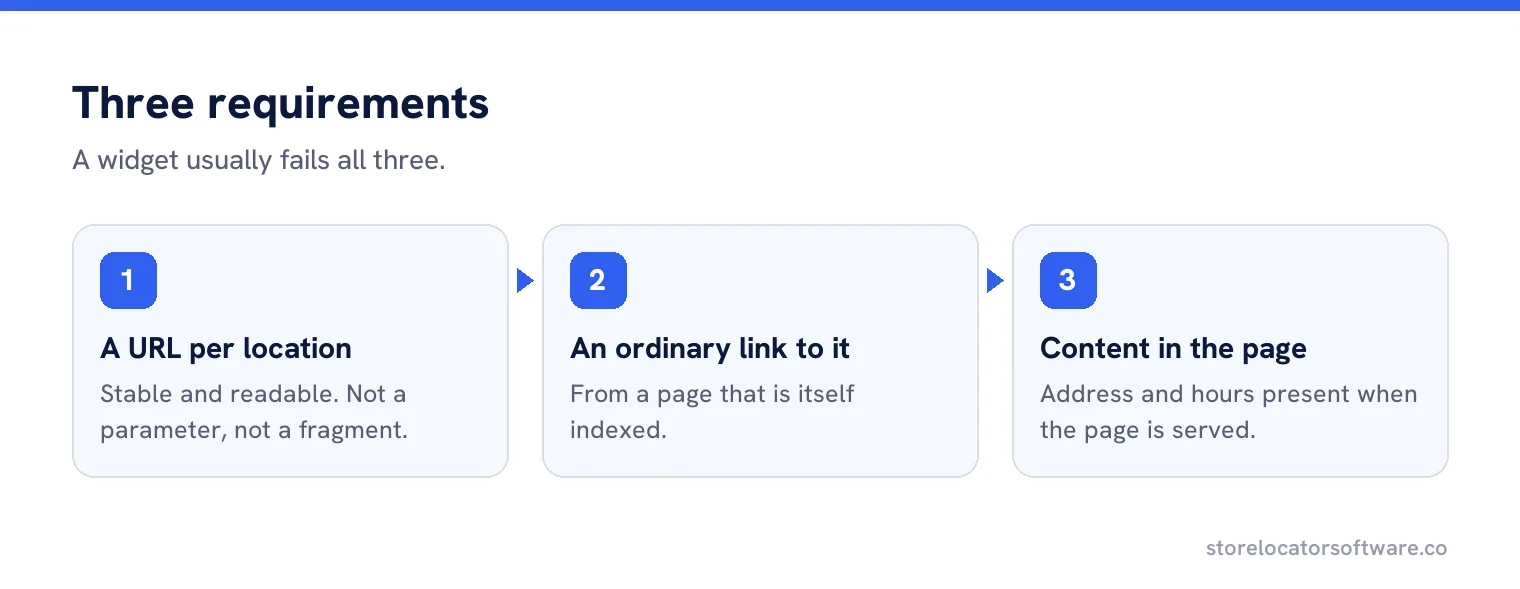
The three requirements
A URL per location
Stable, readable, one per branch. Not a parameter on a search page, not a fragment.
An ordinary link to it
From a page that is itself indexed. A link inside a widget usually does not count.
Content in the page
Address, hours and detail present when the page is served, rather than fetched afterwards.
Why widgets fail all three
A typical locator is a search box and a map. Results arrive from an API after the page loads, and get drawn as pins. There is no per-branch URL, no link to follow, and nothing in the delivered page except a container and a script.
Google can render JavaScript, which is often used as a reason not to worry. Even where rendering works, there is still nothing to link to, nothing to rank for a town name, and nothing for anybody else to link to either.
What to build instead
| Instead of | Build |
|---|---|
| Results rendered into a map only | A list of results as links, with the map beside it |
| A branch shown in a modal | A branch page at its own URL |
| Everything behind a postcode search | A browsable index of all locations |
| URLs with session parameters | Clean paths such as /branches/hexham/ |
| Pagination that only works with script | Paged links a crawler can follow, or one long list |
Checking yours in five minutes
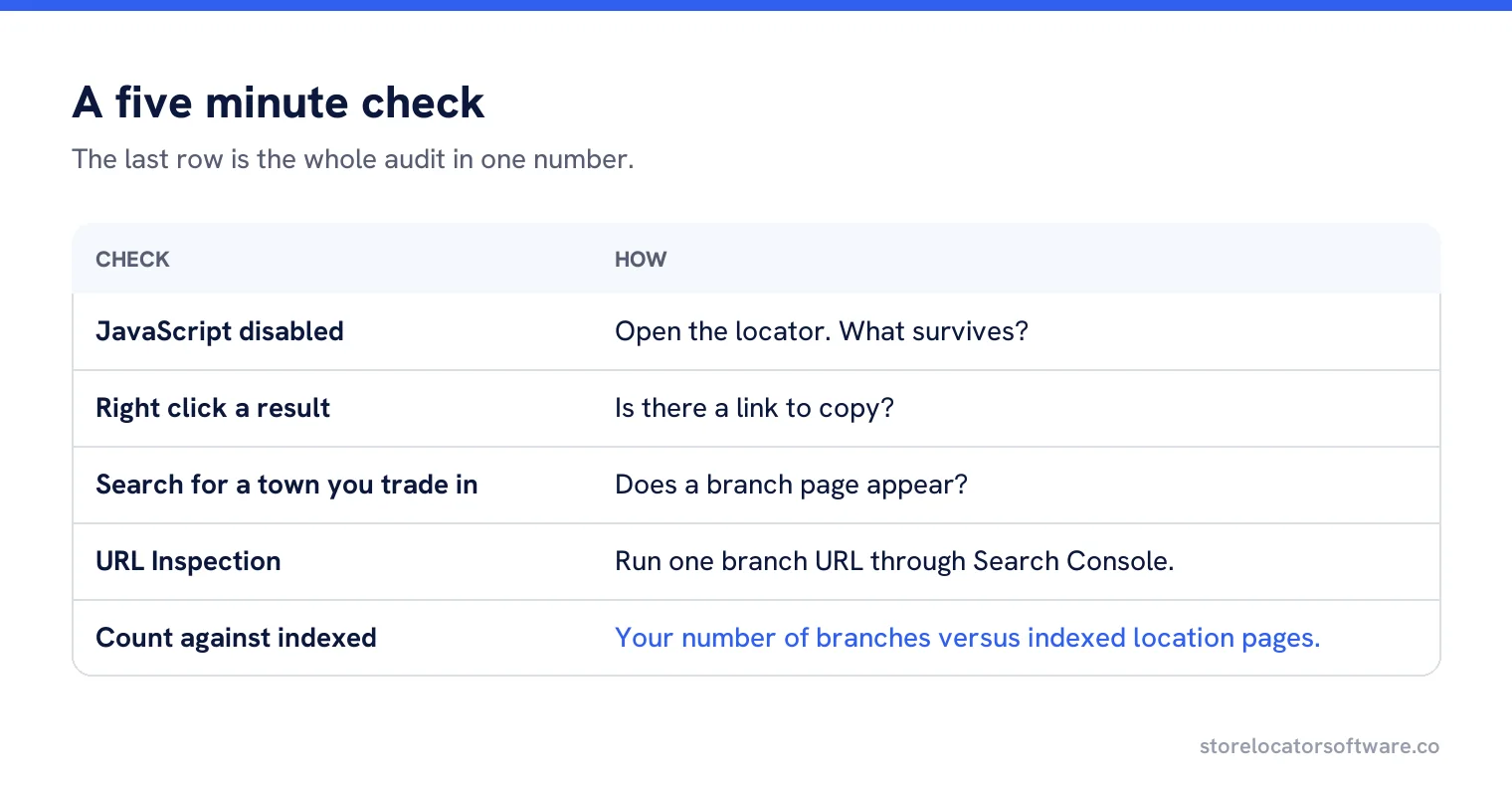
- Open the locator with JavaScript disabled. What survives?
- Right click a branch result. Is there a link to copy?
- Search your site for the name of a town you trade in. Does a branch page appear?
- Run a branch URL through URL Inspection in Search Console.
- Count your locations and compare with the number of indexed location pages.
The last one is the whole audit in a single number, and it is usually a surprise.
Where the index page should live
At a sensible path such as /branches/ or /locations/, linked from the main navigation and the footer of every page. That one page is what makes the rest reachable, and it is also the page most likely to rank for brand plus “near me” style searches, which is a useful side effect of building it properly.
Sitemaps help, links decide
Listing every location page in an XML sitemap is worth doing and does not replace linking. A sitemap says the pages exist; links say they matter and provide the route. Pages that appear only in a sitemap, with nothing pointing at them, are routinely left unindexed.
Pagination and filters
Large networks often paginate or filter by region. Make both work as ordinary links with their own URLs, and keep the filtered views crawlable only where they are genuinely useful pages, such as a region. Avoid generating thousands of filter combinations, which produces near-identical pages nobody asked for.
A worked fix
A pharmacy chain with 180 branches had a locator with a postcode search and a map. Search Console showed four location pages indexed, all of them branches that happened to be linked from news posts.
Three changes: a branches index page listing all 180 by region with plain links, a footer link to that index, and branch pages served with their address and hours in the HTML rather than fetched by script.
Within two months, 168 were indexed. The remaining twelve were inside supermarkets and shared addresses with the host store, which needed a separate decision rather than a technical fix.
The branches that still will not index
After the technical fix, a handful usually remain unindexed, and the cause is almost always content rather than crawling. Pages identical except for a town name are a judgement call for a search engine, and it may index some and ignore the rest.
The remedy is specifics: the parking, the entrance, the people, work done nearby. It is slower than a technical change and it is the only thing that works on this particular set of pages.
Shared addresses
Concessions inside supermarkets, counters in department stores and units on industrial estates often share an address with something larger. These are the hardest to get indexed and the ones where a distinct page matters most, because a customer searching for you will otherwise find the host business. Give them a genuinely different page: how to find you inside, what you do there, who is on the counter.
Rendering, briefly
If your site is built as a single page application, the location pages still need to be served with their content, which usually means server rendering or pre-rendering those routes. It is an ordinary requirement rather than an exotic one, and it is far cheaper to specify at build time than to retrofit.
Do not block the locator by accident
Two self-inflicted wounds worth checking. A robots rule disallowing a directory such as /search/ that the locator happens to sit under, usually added years ago for a different reason. And a noindex applied to a whole post type when location pages were built as a custom type. Both are one line, both are invisible on the page, and both will keep every branch out of search regardless of how good the links are.
What to tell a developer
Three sentences. Every location needs its own URL served with its address and hours in the HTML. Every location must be reachable by an ordinary link from an indexed page. The interactive map is an enhancement on top of that, not the delivery mechanism.
Branches that can actually be found
Generate indexable pages and a crawlable index for every location, with the map as an extra rather than the only route.
Frequently asked questions
Why are my store locator results not indexed?
Usually because results render into a map after load, so there is no URL per branch and no ordinary link for a crawler to follow.
Does Google not render JavaScript?
It often does, and that is not the point. Even when rendering works there is still nothing to link to and nothing to rank for a town name.
What should I build instead?
A list of results as links beside the map, a page per branch at its own URL, and a browsable index of all locations that does not require a search.
Is a sitemap enough?
No. A sitemap says the pages exist; links say they matter and provide the route. Pages with nothing pointing at them are routinely left unindexed.
How do I check quickly?
Disable JavaScript and see what survives, try to copy a link from a result, and compare your number of branches with the number of indexed location pages.
Sources
The Google documentation behind the guidance on this page. Google changes these pages without notice, so check the date on any figure before you rely on it.