
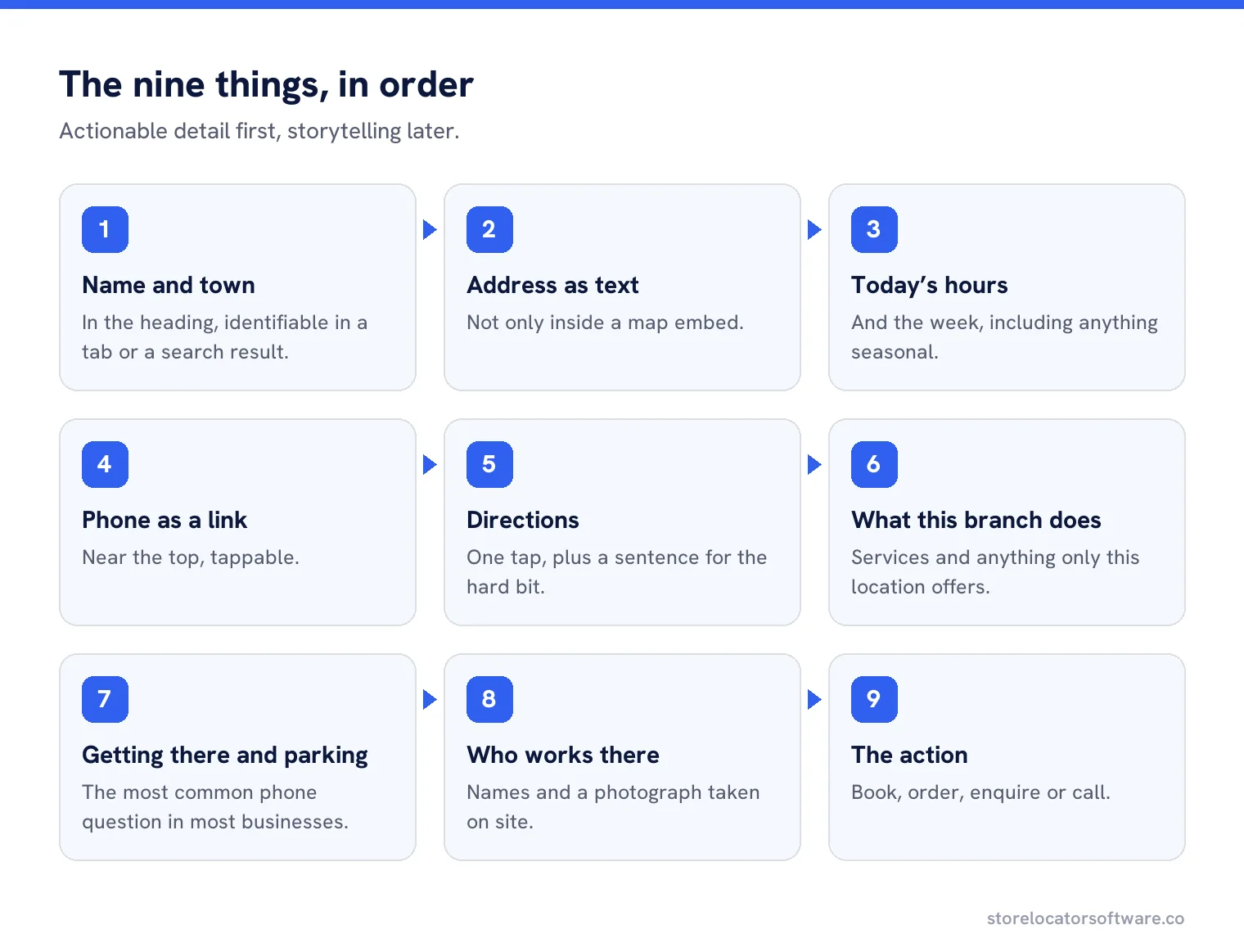
Nine things, in roughly this order: the branch name and town, the full address as text, today’s hours, a tappable phone number, directions, what this branch does, how to get there and park, who works there, and a way to book or buy. Anything a visitor cannot act on belongs further down the page or not at all. The test is whether somebody standing outside in the rain gets what they need in the first screen.
What belongs on a location page is rarely what is on one. Most are a map, a paragraph of corporate text, and the address in small type at the bottom.
The nine things
Name and town in the heading
“Harper Plumbing, Hexham”. Identifiable in a tab, a bookmark and a search result.
Address as text
Never only inside a map embed, which readers and crawlers both struggle with.
Today’s hours
And the week, including anything seasonal.
Phone, as a link
Tappable, near the top, not in an image.
Directions
One tap to the map app, plus a sentence for the hard bit.
What this branch does
Services, departments, anything this location has that others do not.
Getting there and parking
The most common phone question in most businesses.
Who works there
Names and a photograph taken at that location.
The action
Book, order, enquire, or simply call, depending on the business.
The order matters more than the content
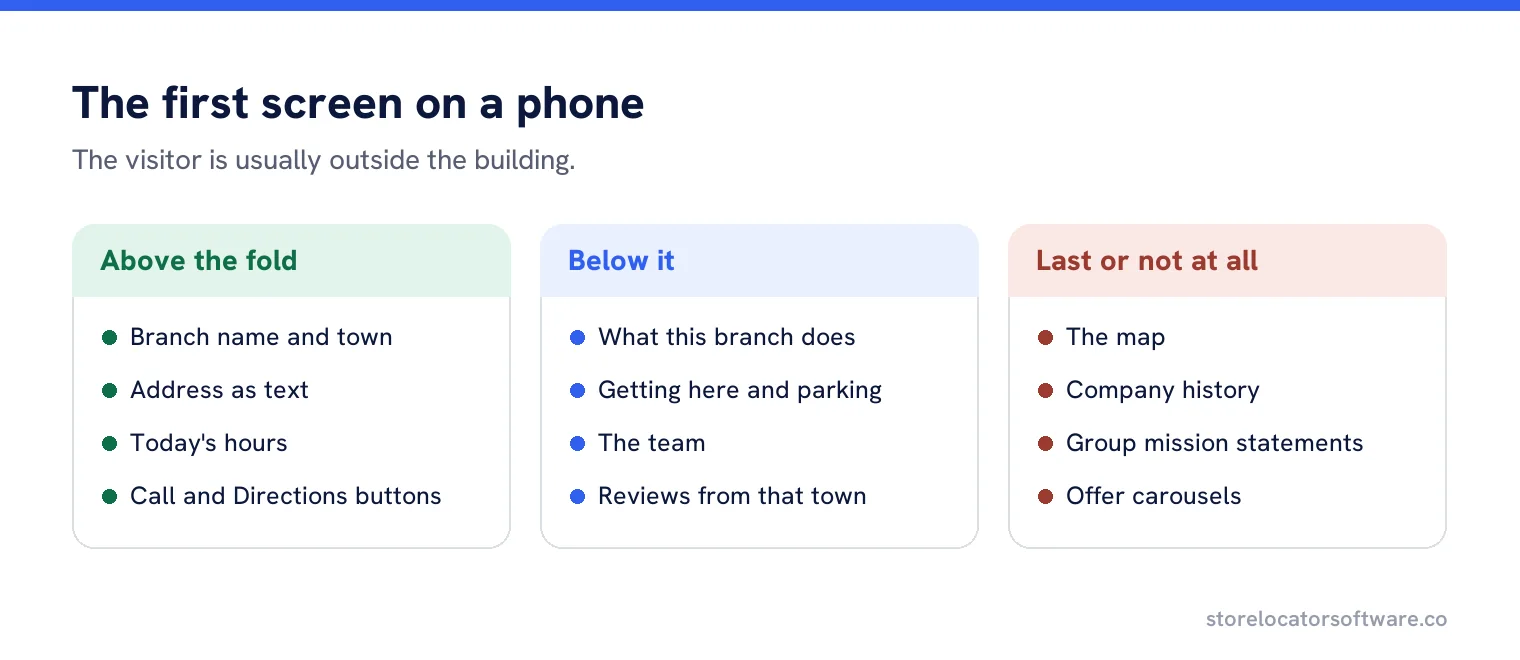
Everything above is on most pages somewhere. What is usually wrong is the order: the hero image, the brand paragraph and the map come first, and the address is below three scrolls on a phone. Put the actionable detail at the top and the storytelling underneath.
What makes the page worth indexing
- Detail that is true only of this branch.
- The town named in the heading, the title and the text.
- Photographs taken at that location, not stock.
- Reviews or work from that area, where you have them.
- Links to the services this branch actually offers.
Without those, you have a template with a variable in it, and a search engine may choose to index only a handful of them.
A page outline that works
| Section | What goes in it |
|---|---|
| Heading | Branch name and town. |
| Details block | Address, hours, phone, directions, all as text and links. |
| One sentence | What this branch is and who it serves. |
| Getting here | Parking, public transport, which door, a landmark. |
| Services here | With links to the service pages. |
| The team | Names, roles, a photograph taken on site. |
| Proof | Reviews, jobs done nearby, a case study from that town. |
| Map | Below the details, never above them. |
| Other branches | Two or three nearest, and a link to the full list. |
Writing the “getting here” section
This is the part nobody drafts and everybody needs. Write it by answering, in order: where do I park, which entrance do I use, what does the front look like, and what is it next to? Four sentences, written by somebody who has stood outside the building.
“The car park is behind the shop, entered from Mill Lane rather than the high street. Our door is the blue one between the bakery and the bank. There is a loading bay outside, so do not leave a car there between eight and ten.” Nobody will write that from head office, which is exactly why it is worth having.
Photographs that earn their place
Three are enough: the front of the building from the street, the entrance, and the inside where customers wait or browse. Taken on a phone in daylight, by somebody who works there. Stock photography of a generic interior adds nothing and quietly tells the visitor this page is a template.
What to leave off
The company history. The group mission. A carousel of offers. An identical paragraph about quality that appears on forty other pages. And a contact form where a phone number would do, for a business whose customers phone.
The action at the bottom
Whatever the page is for, make the next step obvious and singular. Book a table, order a part, call the branch, get a quote. Two competing buttons halve the response to both, and a page offering five ways to get in touch is a page that has not decided what it wants.
The hours question
Show the whole week, and mark anything unusual coming up. “Closed Boxing Day, open as normal from the 27th” prevents a wasted trip and a bad review. Keep them identical to the Business Profile, since the two are compared constantly by customers and by Google.
A worked page
A veterinary practice branch page opens with the practice name and town, then a block containing address, today’s hours, a phone link and a directions link. Then two sentences: what the branch offers and which areas it covers.
Below that, parking at the rear accessed from Mill Lane, the three vets with photographs taken in the consulting room, the services available at this branch with links, two reviews from that town, the map, and finally the nearest other practices.
Nothing on the page describes the group. Everything on it describes this building, which is what somebody searching for a vet in that town needs.
Who writes it
Head office writes the template and the branch supplies the facts. Five questions by email produce everything above: where do people park, what is the building next to, who will they meet, what do customers ask on the phone, and what does this branch do that others do not. Half the branches will reply, and those pages become the model for the rest.
Pages for branches inside other businesses
Concessions, counters and in-store services need the same page with one addition: how to find you once inside. “On the first floor, past the escalators, next to the cafe” is the sentence that stops people giving up in a department store, and no map will supply it.
Keeping it current
The things that go stale are hours, staff and parking. Add them to the same yearly check as the Business Profile audit, and update the page the same day you update the profile, so the two never drift apart.
Every branch, properly described
Generate complete location pages from your own data, with the details in the right order and the same hours as your profile.
Frequently asked questions
What should a location page include?
Branch name and town, address as text, today’s hours, a tappable phone number, directions, what this branch does, parking, the team, and a clear action.
Where should the map go?
Below the details, never above them. A map is slow, needs interpreting, and pushes the address off the first screen on a phone.
What makes a location page worth indexing?
Detail that is true only of that branch: the building, the parking, the people, local proof. Without it you have a template with a variable in it.
Should hours match the Business Profile exactly?
Yes. Customers and Google compare the two constantly, and a disagreement can support a suggested edit you did not want.
What should I leave off?
Company history, group mission statements, offer carousels, and the identical quality paragraph that appears on forty other pages.
Sources
The Google documentation behind the guidance on this page. Google changes these pages without notice, so check the date on any figure before you rely on it.