
Ask for location once, at the moment it is useful, and always show something if the answer is no. Sort by distance rather than filtering by a radius, because a radius returns nothing for rural visitors and a sorted list never does. Show distances in the unit the country uses, and remember that a distance to a point on a map is not a drive: for anything where travel time matters, say so.
Geolocation and near me in a locator meet at one place. The radius slider is the clearest sign that a locator was designed around the database query rather than the person using it.
Sort, do not filter
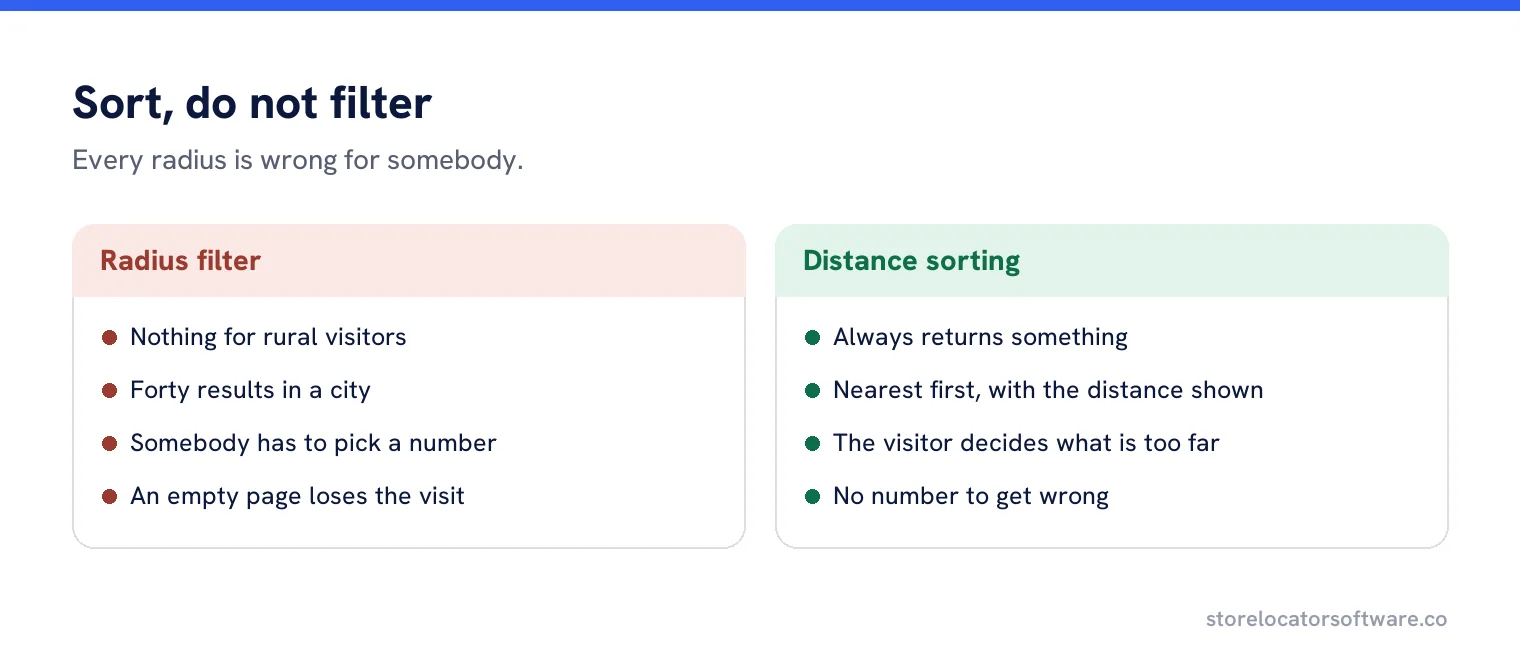
A radius filter has to pick a number, and every number is wrong for somebody. Ten miles returns nothing in the Highlands and forty results in Manchester. Sorting by distance always returns something useful: the nearest branches, in order, with the distance shown so the visitor can decide for themselves whether twenty-two miles is too far.
Asking for location properly
Not on page load
A permission prompt before anybody has read anything is usually declined.
After a clear action
A button saying “Use my location” explains what is about to be asked.
Once
If declined, do not ask again in the same visit.
With a fallback
A search box and the full list, both available without permission.
What to do when permission is declined
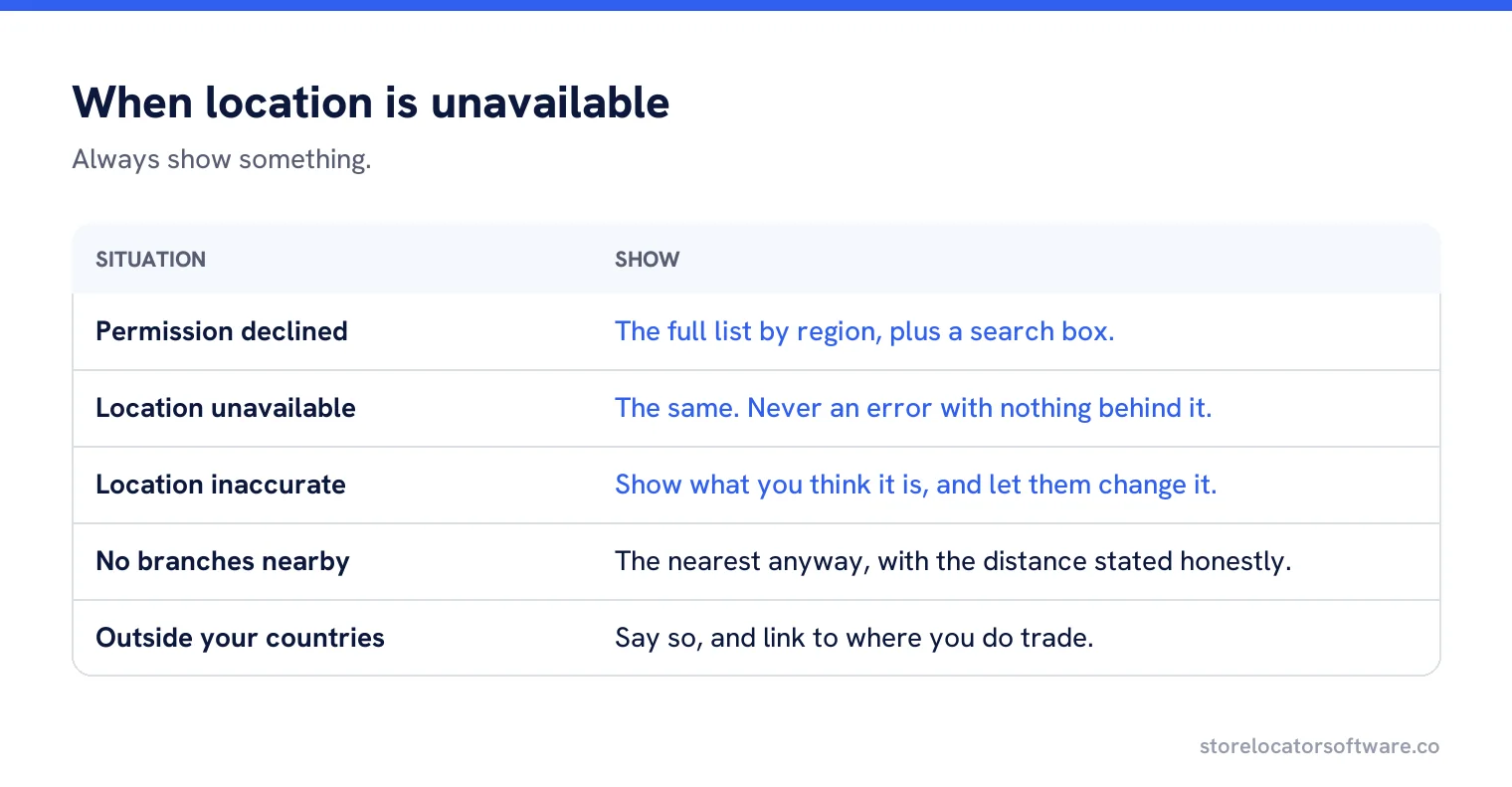
| Situation | Show |
|---|---|
| Permission declined | The full list, grouped by region, plus a search box. |
| Location unavailable | The same. Do not show an error and nothing else. |
| Location inaccurate | Let the visitor type a town to override it. |
| No branches nearby | The nearest anyway, with the distance stated honestly. |
| Outside your countries | Say so, and link to wherever you do trade. |
Distance is not travel time
Eight miles across a city at five in the afternoon is not eight miles across open country. Where travel time genuinely matters to the decision, say something about it on the page: “about fifteen minutes from the station” is more useful than a precise distance to three decimal places.
Do not try to compute live travel times for every result. It is slow, it depends on data you do not control, and it is wrong by the time the visitor sets off.
Accuracy of the visitor’s location
Browser location can be precise on a phone with GPS and badly wrong on a desktop using network lookup, sometimes by tens of miles. Always show what you think the location is, and make it editable. “Showing branches near Newcastle upon Tyne, change” costs one line and prevents the visitor concluding your branches are all in the wrong place.
Units and formats
Miles or kilometres, by country, decided once. Round sensibly: “2.3 miles” is fine, “2.34792 miles” is noise, and “0.0 miles” for the branch you are standing in looks broken. Under half a mile, consider “a few minutes’ walk” instead of a number.
“Near me” searches
People search for “shops near me” and the results are produced by Google using their location, not by your locator. Your locator cannot influence that directly. What helps is the part this site keeps returning to: a real page per location, with the town and address in text, linked from somewhere crawlable, and a Business Profile that agrees with it.
There is no need to put the phrase “near me” into your page titles, which reads oddly and does not do what people hope.
Straight line or road distance
Most locators calculate a straight line between two points, which is simple, fast and occasionally misleading. A branch two miles away across an estuary may be a forty minute drive, while one three miles away is ten minutes.
Straight line distance is still the right default, because it is instant and it sorts correctly nearly all of the time. Where geography makes it actively wrong, the fix is a sentence on the page rather than a different algorithm: “nearest by road from the north side is our Blyth branch” does more than any calculation.
Postcode lookups
Typing a postcode is still the most common way people use a locator, and partial postcodes are what they actually type. Accept the first half, accept it without a space, accept it in lower case, and accept the common transpositions. A locator that demands a full valid postcode fails the most willing visitors you have.
A worked improvement
A pet supplies chain replaced a 25 mile radius filter with distance sorting and kept everything else identical. Before the change, roughly a fifth of searches from rural postcodes returned no results at all.
Afterwards every search returned the three nearest shops with distances shown. Visitors in sparsely covered areas now saw that the nearest shop was 31 miles away, which is disappointing information and better than an empty page, and a measurable number of them went anyway.
Privacy, briefly
Location is personal data in most jurisdictions. Ask for it only when it is used, use it only for the search, and do not store it alongside anything identifying unless you have a reason and have said so. A locator that quietly logs coordinates against sessions is collecting something it does not need.
How many results to show
Three to five, with a way to see more. One result looks like a business with one branch; twenty is a list nobody reads. Showing the nearest few with distances answers the question, and the “show all” link handles the visitor who wants to browse rather than search.
Remembering the choice
If somebody picks a branch, remember it for their next visit and show it first, with an obvious way to change it. That single piece of state removes the search entirely for returning customers, which is most of the traffic a locator gets on a site people use more than once.
Testing it properly
Test from a rural postcode, from a city centre, from another country, and with permission declined. Those four cover nearly every failure a locator has, and all four take a browser and five minutes, which is less than the radius slider took to build.
Results that always return something
A locator that sorts by distance, falls back gracefully and shows every branch, with pages behind each result.
Frequently asked questions
Should a locator use a radius filter?
No. Sort by distance instead. A radius returns nothing for rural visitors and too much in cities, while a sorted list always returns something useful.
When should I ask for the visitor’s location?
After a clear action such as a "use my location" button, once per visit, with a search box and the full list available without permission.
What if permission is declined?
Show the full list grouped by region plus a search box. Never show an error with nothing behind it.
Can my locator affect "near me" searches?
Not directly. Those results come from Google using the searcher’s location. What helps is a real page per location, linked and crawlable, agreeing with your profile.
Should I show travel time instead of distance?
Mention it in words where it matters, but do not compute live travel times for every result. It is slow, unreliable and out of date by the time anyone sets off.
Sources
The Google documentation behind the guidance on this page. Google changes these pages without notice, so check the date on any figure before you rely on it.